A USB hub for desk setup is one of the most practical accessories you can add to your workspace.
Modern laptops and computers often have limited ports, making it difficult to connect all your devices at once — monitors, keyboards, mice, external drives, and charging cables all compete for the same slots.
In this guide, you’ll discover the best USB hub for desk setup options to expand your ports, reduce cable clutter, and keep your workspace clean and organized.
You can also explore our guide on best desk accessories for productivity to find more tools that improve your workspace.
| USB Hub | Best For | Price | Rating |
|---|---|---|---|
| Acer Hub USB 3.0 | Best Cable Length | Check Price | ★★★★★ 4.5/5 |
| UGREEN Hub USB 3.0 | Best Compact | Check Price | ★★★★★ 4.6/5 |
| UGREEN Revodok 105 | Best USB-C | Check Price | ★★★★★ 4.6/5 |
| SABRENT HB-UM43 | Best Power Switches | Check Price | ★★★★★ 4.6/5 |
| BENFEI 7-in-1 | Best All-in-One | Check Price | ★★★★★ 4.5/5 |
| TP-Link UH700 | Best 7-Port | Check Price | ★★★★★ 4.7/5 |
| Aceele USB 3.2 Gen 2 | Best Speed | Check Price | ★★★★☆ 4.3/5 |
Table of Contents
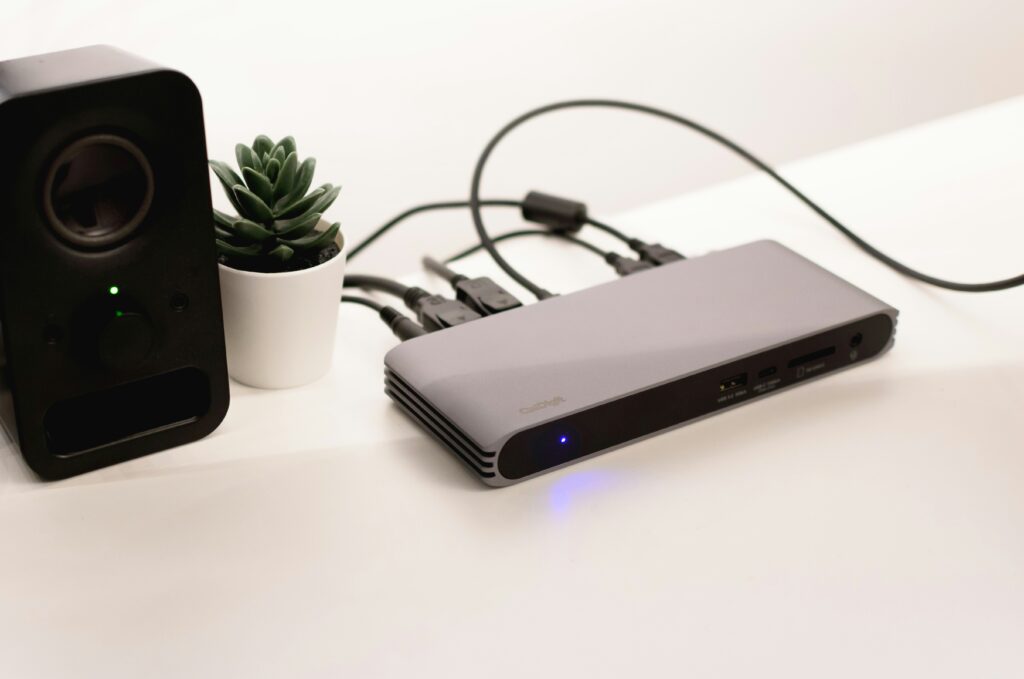
Why a USB Hub Improves Your Desk Setup
A USB hub for desk setup is one of the most effective ways to expand connectivity and reduce cable clutter on your desk.
Expands Limited Ports
Most laptops only have 2-3 USB ports, which is rarely enough for a full desk setup. A USB hub instantly multiplies your available ports, allowing you to connect all your devices simultaneously without constantly swapping cables.
Reduces Cable Clutter
Instead of multiple cables running directly to your laptop or PC, a USB hub consolidates all your connections into one central point. This makes cable management much easier and helps create a cleaner desk setup. According to ergonomic workspace guidelines, an organized workspace reduces fatigue and improves focus during long work sessions.
Keeps Devices Charged and Connected
Many USB hubs include Power Delivery ports that can charge your laptop or phone while simultaneously transferring data — eliminating the need for separate chargers on your desk.
Improves Desk Organization
A well-placed USB hub for desk setup acts as a central connectivity hub, reducing the number of cables running across your desk and making your workspace look cleaner and more professional.
What to Look for in a USB Hub
When choosing a USB hub for desk setup, there are several key features to consider:
Number of Ports
Consider how many devices you need to connect. A basic 4-port hub works for simple setups, while a 7-port hub is better for a fully equipped desk setup with multiple peripherals.
USB-C vs USB-A
USB-C hubs offer faster data transfer and Power Delivery charging, while USB-A hubs are compatible with older devices. Many modern hubs include both types for maximum compatibility.
Power Delivery
If you use a laptop, look for a USB hub with Power Delivery — this allows you to charge your laptop through the hub while keeping all your devices connected.
Individual Power Switches
Some hubs include individual on/off switches per port, allowing you to control each device independently without unplugging — ideal for a tidy and efficient desk setup.
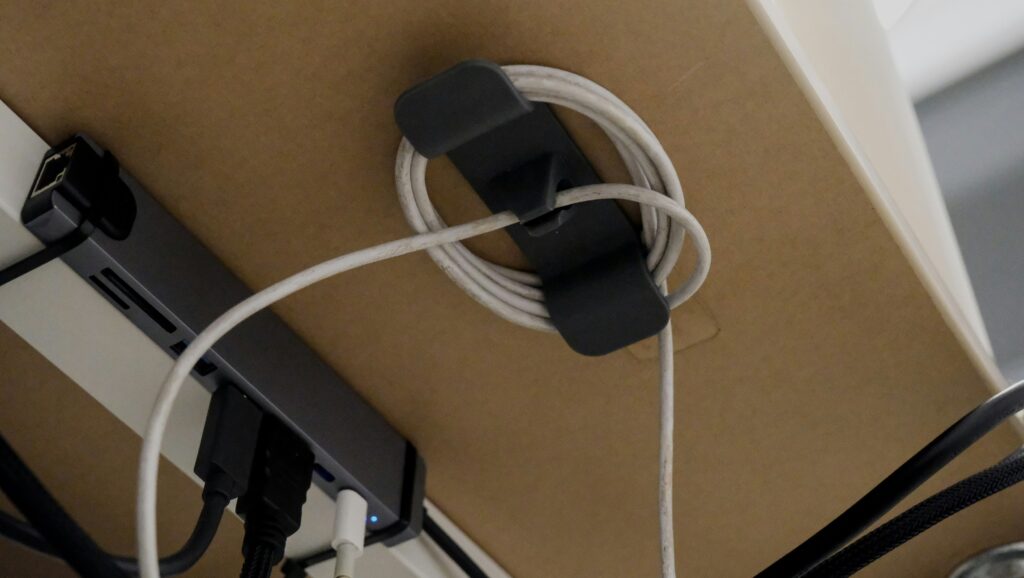
Best USB Hubs for Desk Setup
Choosing the right USB hub for desk setup depends on the number of devices you need to connect and whether you need Power Delivery charging.
1. Acer Hub USB 3.0
Best for: users who want a simple, ultra-slim 4-port hub from a trusted brand with a long 60cm cable for flexible placement.
The Acer Hub USB 3.0 is a no-fuss solution for expanding your laptop’s ports. Its ultra-slim design and 60cm flexible cable make it easy to position anywhere on your desk, and the built-in GL3510 chip ensures stable simultaneous operation of all four ports.
Key Features:
- 4 USB 3.0 ports — up to 5Gbps data transfer
- Ultra-slim and lightweight design
- 60cm flexible cable for flexible desk placement
- USB-C power input port for added stability
- Plug-and-play — no drivers required
2. UGREEN Hub USB 3.0
Best for: users who want a compact and reliable 4-port hub with maximum compatibility across all devices and operating systems.
The UGREEN Hub USB 3.0 is one of the most popular USB hubs available, trusted by millions of users worldwide. With a compact 15cm cable, it sits neatly next to your laptop and supports data transfer speeds of up to 5Gbps across all four ports simultaneously.
Key Features:
- 4 USB 3.0 ports — 5Gbps high-speed transfer
- Compact 15cm cable — minimal desk footprint
- Compatible with MacBook, Surface, XPS, PS5, and more
- Backward compatible with USB 2.0 devices
- Plug-and-play setup — no drivers required
3. UGREEN Revodok 105
Best for: laptop users who need a USB-C hub with HDMI output and 100W Power Delivery for a clean all-in-one connection solution.
The UGREEN Revodok 105 is a 5-in-1 USB-C hub that transforms a single USB-C port into a full connectivity station. With 4K HDMI output, 100W Power Delivery, and three USB 3.0 ports, it’s ideal for MacBook, iPad, and USB-C laptop users who want a clean desk setup.
Key Features:
- 5-in-1 USB-C hub — HDMI, USB 3.0, and Power Delivery
- 4K HDMI output for external monitor connection
- 100W Power Delivery — charges laptop while connected
- 3 USB 3.0 ports at 5Gbps data transfer
- Compatible with MacBook Pro/Air M1/M2/M3, iPad, Galaxy S25
4. SABRENT HB-UM43
Best for: users who want individual power switches per port to control each device independently without unplugging.
The SABRENT HB-UM43 is a uniquely practical USB hub for desk setup users who value control and organization. Each of the four USB 3.0 ports has its own dedicated power switch and LED indicator, allowing you to turn devices on and off independently — perfect for a tidy and efficient workspace.
Key Features:
- 4 USB 3.0 ports with individual power switches
- LED indicator per port — shows active connection status
- 5Gbps data transfer — 10x faster than USB 2.0
- Backward compatible with USB 2.0 and USB 1.1
- Slim and lightweight — great for travel and desk use
5. BENFEI USB-C Hub 7-in-1
Best for: users who need maximum connectivity in one hub — HDMI, Power Delivery, USB 3.0, and SD card reader all in one device.
The BENFEI 7-in-1 USB-C Hub is the most feature-packed option on this list. With 4K@60Hz HDMI output, 100W Power Delivery, three USB 3.0 ports, and SD/TF card readers, it replaces multiple adapters with a single compact hub — making it ideal for a minimal and clean desk setup.
Key Features:
- 7-in-1 hub: HDMI 4K@60Hz, 100W PD, 3x USB 3.0, SD/TF reader
- HDMI certified for 4K@60Hz output
- 100W Power Delivery for laptop charging
- SD/TF card reader at 160MB/s read speed
- Compatible with MacBook, iPad Pro, iPhone 15 Pro
6. TP-Link UH700
Best for: users with many peripherals who need a powered 7-port hub with fast charging and built-in surge protection for a permanent desk setup.
The TP-Link UH700 is the most complete USB hub for a fully equipped desk setup. With 7 USB 3.0 ports, 3 dedicated BC 1.2 fast charging ports, a 1-metre cable, and a 12V/2.5A power adapter included, it’s designed for permanent placement on a desk with multiple connected devices.
Key Features:
- 7 USB 3.0 ports — 5Gbps data transfer
- 3 dedicated BC 1.2 fast charging ports at 5V/1.5A
- 12V/2.5A power adapter included for stable operation
- Built-in surge, over-current and overheating protection
- Power on/off button — 1-metre cable included
7. Aceele HUB USB 3.2 Gen 2
Best for: power users who need the fastest possible data transfer speeds with both USB-A and USB-C ports in one hub.
The Aceele HUB USB 3.2 Gen 2 offers the fastest data transfer speeds on this list at 10Gbps — double the speed of standard USB 3.0 hubs. With 4 USB-A ports and a USB-C port for charging, plus a long 1.2-metre cable, it’s ideal for users who regularly transfer large files or work with external SSDs.
Key Features:
- USB 3.2 Gen 2 — 10Gbps data transfer (2x faster than USB 3.0)
- 4 USB-A ports + 1 USB-C charging port
- 1.2-metre cable for flexible desk placement
- Compatible with laptop, PC, Xbox, Mac and more
- Compact design with stable performance
A USB hub for desk setup is a small but powerful upgrade that makes a big difference in how organized and functional your workspace is.
Whether you need a simple 4-port hub or a full-featured USB-C hub with Power Delivery, the options above cover every budget and desk setup style.
You can also improve your workspace organization with our guide on best headphone stand for desk setup and best desk drawer organizers.
Frequently Asked Questions
Do I need a USB hub for my desk setup?
If your laptop or PC doesn’t have enough ports for all your devices, a USB hub for desk setup is essential. It expands your connectivity, reduces cable swapping, and helps keep your desk organized.
What is the difference between a USB hub and a docking station?
A USB hub expands your USB ports, while a docking station offers a wider range of connections including HDMI, Ethernet, and audio ports. For a full desk setup, a docking station is more complete but also more expensive.
How many ports do I need in a USB hub?
For a basic desk setup, a 4-port hub is sufficient. For a more complete setup with multiple peripherals, a 7-port hub gives you more flexibility and room to grow.
Is USB-C better than USB-A for a desk setup?
USB-C hubs offer faster data transfer speeds and Power Delivery charging, making them the better choice for modern desk setups. However, if you have older devices, a hub with both USB-C and USB-A ports gives you the best of both worlds.
This article contains affiliate links.
If you purchase through these links, we may earn a small commission at no extra cost to you.