Many people spend 6 to 10 hours a day working at a desk, whether for work, studying, or gaming. While computers and modern workspaces make us more productive, they can also create a common problem: poor posture.
When your monitor is too low, your keyboard is in the wrong position, or your chair lacks support, your body starts to compensate. Over time, this can lead to neck pain, back pain, and wrist strain, making long work sessions uncomfortable.
The good news is that you don’t need to completely redesign your workspace to fix this. A few ergonomic desk accessories can significantly improve your posture and make your desk setup more comfortable and efficient.
A well-designed workspace also depends on factors like monitor height, desk layout, and organization. If you’re looking to improve your setup even further, you can explore our guide on Best Desk Accessories for Productivity to improve your overall workspace.
Keeping your desk organized also plays an important role in ergonomics. You can explore our guide on Best Cable Management Solutions for Desk Setup to reduce clutter.
In this guide, we’ll explore the best ergonomic desk accessories that help create a healthier and more comfortable workspace.
Why Desk Ergonomics Matters
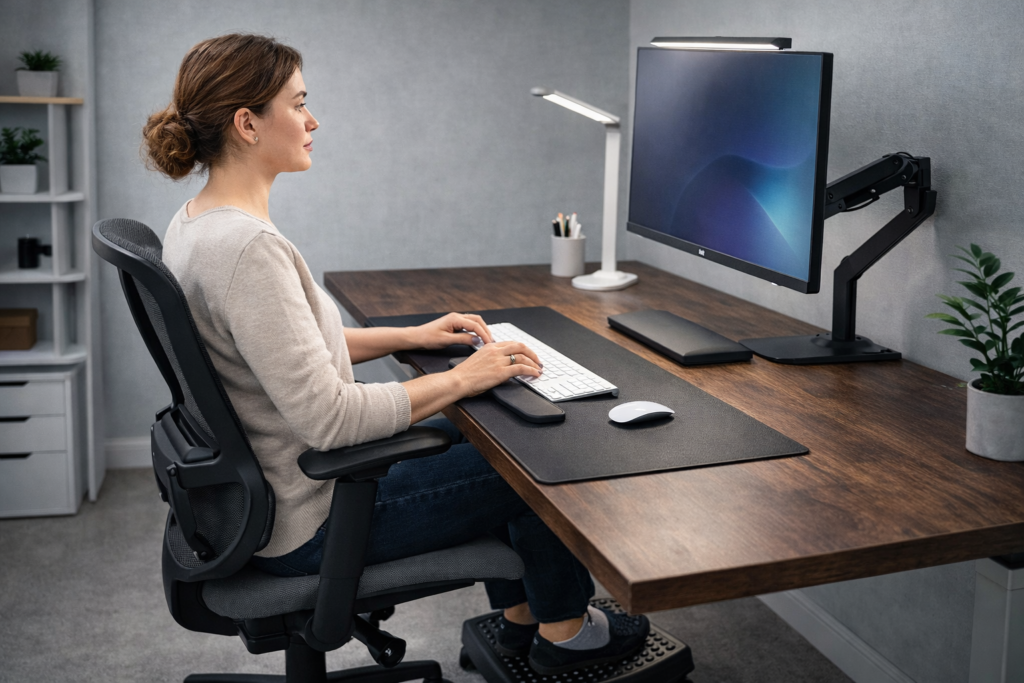
Proper ergonomics helps reduce strain and improve comfort during long work sessions.
Desk ergonomics is about designing your workspace in a way that supports your body’s natural posture.
When your desk setup is not ergonomic, small issues quickly add up. A monitor that sits too low forces you to look down, which puts strain on your neck. A keyboard positioned incorrectly can cause wrist discomfort, while sitting for long periods without proper support may lead to lower back pain.
Improving your desk ergonomics can provide several benefits:
- Better posture during long work sessions
- Reduced neck and back pain
- Less strain on wrists and shoulders
- Improved productivity and focus
Even small adjustments to your workspace can make a noticeable difference in how comfortable you feel throughout the day.
7 Best Ergonomic Desk Accessories
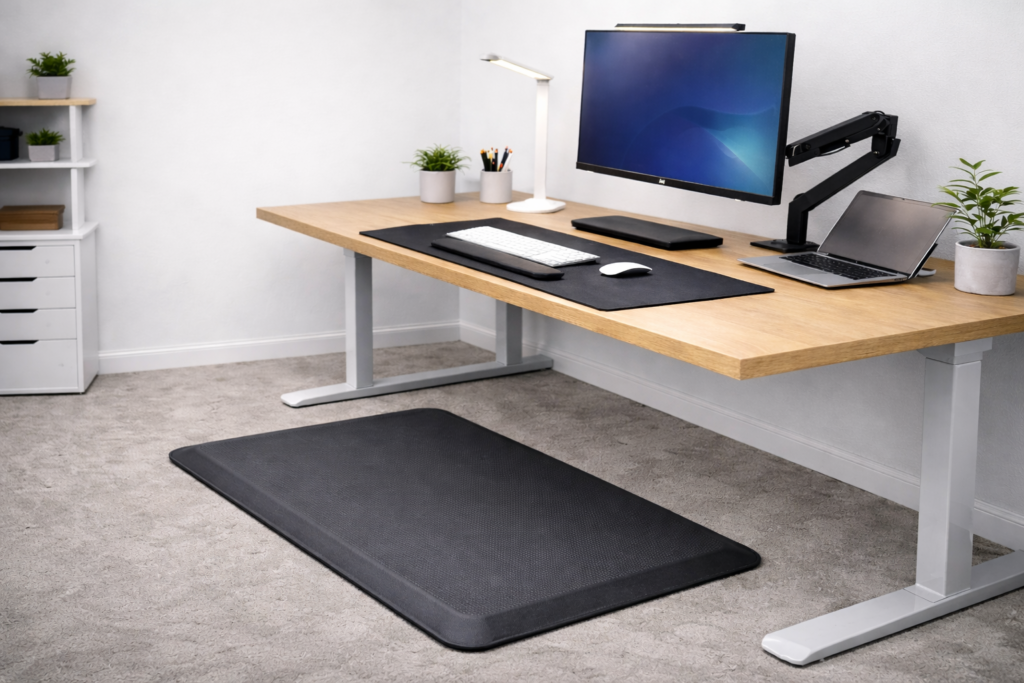
The best ergonomic desk accessories for better posture help create a workspace that supports your body and improves daily comfort.
1. Monitor Arm
A monitor arm is one of the most effective ergonomic upgrades you can make.
Instead of placing your monitor directly on the desk, a monitor arm allows you to adjust the screen’s height, distance, and angle. This makes it much easier to keep the monitor at eye level, which reduces strain on your neck.
Monitor arms also free up desk space and help create a cleaner, more organized workspace.
You can explore our guide on Best Monitor Arm for Desk Setup for more options.
2. Ergonomic Foot Rest
Many people overlook the importance of proper foot support when sitting at a desk.
If your feet don’t rest comfortably on the floor, it can affect your posture and put pressure on your lower back. A foot rest helps keep your legs in a more natural position and promotes better circulation during long work sessions.
This small accessory can make a big difference in overall comfort.
You can check our guide on Best Foot Rest for Under Desk to find the best options.
3. Ergonomic Mouse
Traditional computer mice can sometimes force your wrist into unnatural angles, especially during long hours of use.
An ergonomic mouse is designed to support a more natural hand position. Vertical mice and sculpted designs reduce wrist strain and help prevent discomfort over time.
For people who spend a lot of time working on a computer, this is a simple upgrade that can improve comfort significantly.
4. Wrist Rest for Keyboard
Typing for long periods can put pressure on your wrists, especially if your keyboard sits too high or at an awkward angle.
A wrist rest provides support while typing and helps keep your wrists in a more neutral position. This reduces strain and can make typing more comfortable during long work sessions.
Many wrist rests are made from memory foam or gel materials that adapt to your wrist position.
5. Laptop Stand
If you work on a laptop directly on the desk, the screen is usually too low. This forces you to tilt your head downward, which can cause neck strain.
A laptop stand raises the screen closer to eye level, helping you maintain a better posture while working.
Many stands are also adjustable, allowing you to find the perfect angle for your setup.
You can explore our guide on Best Laptop Stand for Desk Setup.
6. Standing Desk Mat
Standing desks are becoming more popular, but standing for long periods on a hard floor can be uncomfortable.
A standing desk mat provides cushioning and support, reducing pressure on your feet and joints. This makes it easier to alternate between sitting and standing during the day.
For people using standing desks regularly, this accessory can significantly improve comfort.
7. Keyboard Tray
A keyboard tray attaches underneath your desk and allows you to adjust the keyboard’s position and height.
This helps keep your wrists in a neutral position and can prevent unnecessary strain on your shoulders and arms. It also frees up desk space and helps maintain a more ergonomic typing posture.
Keyboard trays are especially useful for people who work at their desk for extended periods.
How to Set Up an Ergonomic Desk
Using ergonomic accessories is helpful, but your overall desk setup also plays an important role.
Here are a few simple guidelines for creating a more ergonomic workspace:
- Your monitor should be at eye level
- Your keyboard and mouse should be positioned so your elbows stay at a 90-degree angle
- Your feet should rest flat on the floor or on a footrest
- Your screen should be about an arm’s length away
These small adjustments help reduce strain on your body and make long work sessions more comfortable.
Creating an ergonomic desk setup doesn’t require a complete workspace overhaul. Often, small upgrades can make the biggest difference.
Accessories like monitor arms, laptop stands, and ergonomic mice help improve posture, reduce discomfort, and create a more productive work environment.
By investing in the right ergonomic desk accessories, you can build a workspace that supports both your productivity and your long-term health.
If you’re building a complete setup, you can also explore our guide on Best Desk Setup Under 300€.
Frequently Asked Questions
Are ergonomic desk accessories worth it?
Yes. The best ergonomic desk accessories for better posture help reduce strain and improve comfort during long work sessions.
What is the most important ergonomic desk accessory?
A monitor arm or monitor stand is one of the most important accessories because it helps position your screen at eye level.
Do ergonomic accessories improve posture?
Yes. They help align your body correctly, reducing strain on your neck, back, and wrists.
How can I improve posture at my desk?
Use ergonomic accessories, adjust your monitor height, and ensure your chair and desk are properly positioned.
This article may contain affiliate links.
If you purchase through these links we may earn a small commission at no extra cost to you.