A dual monitor desk setup is one of the most effective ways to boost productivity and create a more efficient workspace.
Having two monitors allows you to work on multiple tasks simultaneously — keeping your email open on one screen while working on a document on the other, or referencing research while writing code.
In this guide, you’ll discover everything you need to build the best dual monitor desk setup, from the right monitor arm to cable management and organization.
You can also explore our guide on best desk setup under 500 for a complete budget breakdown.
Table of Contents
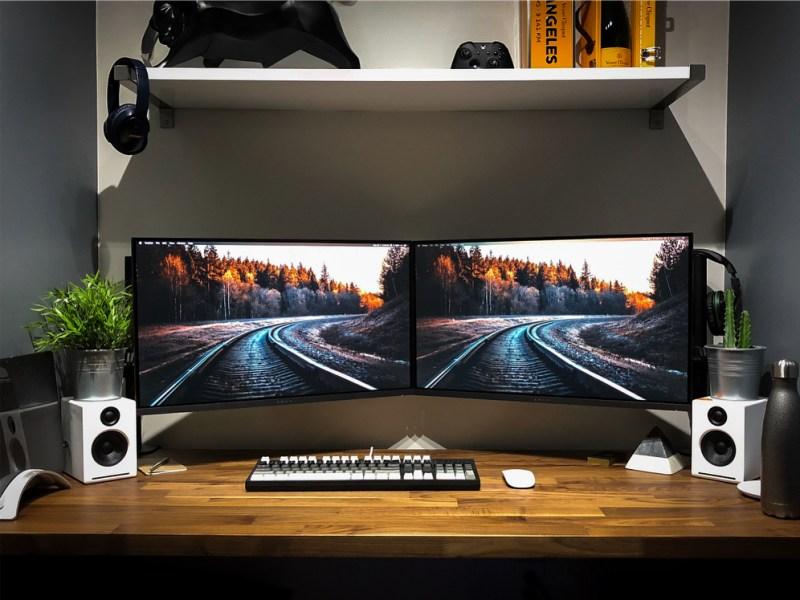
Why a Dual Monitor Desk Setup Improves Productivity
A dual monitor desk setup is one of the most popular upgrades for home office and professional workspaces.
More Screen Real Estate
Two monitors give you significantly more working space. Instead of constantly switching between windows or tabs, you can have everything visible at once — reducing time wasted on task switching.
Better Multitasking
A dual monitor desk setup is ideal for tasks that require referencing multiple sources simultaneously — video editing, coding, writing, research, trading, and gaming all benefit greatly from a second screen.
Cleaner and More Organized Workspace
With the right accessories, a dual monitor desk setup can look even cleaner than a single monitor setup. A dual monitor arm lifts both screens off the desk, freeing up valuable surface space and eliminating the need for bulky monitor stands.
According to ergonomic workspace guidelines, proper monitor positioning reduces neck strain and improves focus during long work sessions.
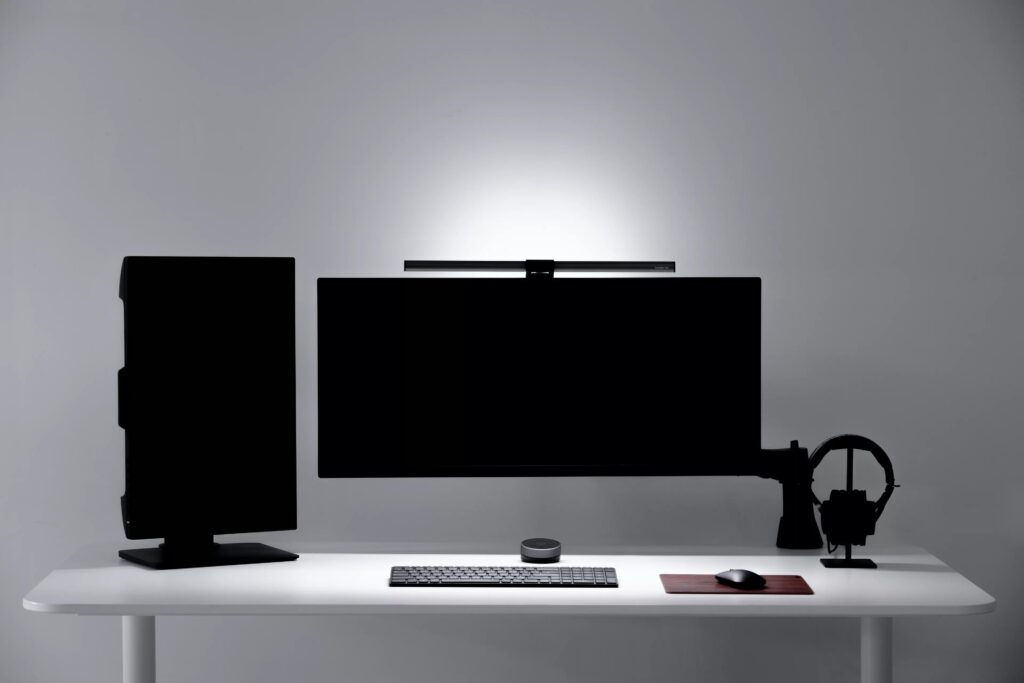
What You Need for a Dual Monitor Desk Setup
Building a great dual monitor desk setup requires a few key accessories beyond just two monitors.
1. A Wide Enough Desk
For a dual monitor setup, you need a desk that is at least 140cm wide — ideally 160cm or more. This gives enough space for two monitors side by side with room for a keyboard, mouse, and accessories.
Recommended: Flexispot 140×60 Standing Desk — designed specifically for wider setups, excellent stability and smooth electric height adjustment.
➡ Read our full guide: Best Desk for Desk Setup
2. Dual Monitor Arm
A dual monitor arm is the most important accessory for a dual monitor desk setup. It holds both screens at the perfect height and angle, frees up desk space, and makes cable management much easier.
Recommended: BONTEC Dual Monitor Arm — compatible with most 13–32 inch monitors, adjustable tilt, swivel and rotation, integrated cable management.
➡ Read our full guide: Best Monitor Arm for Desk Setup
3. Large Desk Mat
A wider desk mat is essential for a dual monitor setup — it ties the whole setup together visually and provides a clean, unified surface for your keyboard and mouse.
Recommended: CENNBIE Extra Large Leather Desk Mat — designed to cover your entire workspace, non-slip base, smooth surface, durable material.
➡ Read our full guide: Best Desk Mat for Desk Setup
4. Cable Management
Two monitors mean twice the cables. A complete cable management kit is essential for keeping a dual monitor setup clean and tidy.
Recommended: SOULWIT 200PCS Cable Management Kit — sleeves, clips, holders and ties to handle every cable in a dual monitor setup.
➡ Read our full guide: Best Cable Management Kit for Desk Setup
5. USB Hub
Two monitors often require additional ports for HDMI, DisplayPort, and USB connections. A USB hub keeps everything connected without cable chaos.
Recommended: TP-Link UH700 — 7 USB 3.0 ports, 3 fast charging ports, power adapter included, best rated at 4.7/5.
➡ Read our full guide: Best USB Hub for Desk Setup
6. Monitor Light Bar
With two monitors, lighting becomes even more important. A monitor light bar on your primary screen illuminates your desk evenly without creating glare on either monitor.
Recommended: Oowolf Monitor Light Bar — affordable, adjustable brightness and color temperature, minimal design.
➡ Read our full guide: Best Monitor Light Bar for Desk Setup
7. Ergonomic Chair
Long sessions in front of two monitors require proper back and lumbar support. An ergonomic chair keeps you comfortable and focused throughout the day.
Recommended: Yaheetech Gaming Chair — best rated at 4.7/5, includes footrest and vibrating lumbar massage, supports up to 136kg.
➡ Read our full guide: Best Ergonomic Chair for Desk Setup
8. Desk Shelf Organizer
With two monitors taking up most of your desk surface, a desk shelf organizer helps store accessories neatly without cluttering your workspace.
Recommended: A compact desk shelf that fits between or beside your monitors for storing small accessories, notebooks, and cables.
➡ Read our full guide: Best Desk Shelf Organizer for Desk Setup
Dual Monitor Desk Setup — Tips for a Clean Look
Position both monitors at eye level. Use a dual monitor arm to raise both screens to the same height. Your eyes should naturally fall on the top third of each screen.
Align the monitors correctly. For productivity, place the monitors side by side at a slight inward angle. For gaming, align them flat for maximum immersion.
Hide all cables. With two monitors, cable management is critical. Use cable sleeves to bundle monitor cables together and route them neatly behind the desk.
Use a single wide desk mat. A large desk mat that covers both monitors’ footprint ties the setup together visually.
Keep the desk surface minimal. With two monitors, keep accessories to a minimum — only what you use daily should be on the desk surface.
| Item | Recommended Product | Why |
| Desk | Flexispot 140×60 | Wide enough for dual monitors |
| Monitor Arm | BONTEC Dual Monitor Arm | Holds both screens perfectly |
| Desk Mat | CENNBIE Extra Large | Covers full dual monitor width |
| Cable Management | SOULWIT 200PCS | Handles all cables in one kit |
| USB Hub | TP-Link UH700 | 7 ports for all connections |
| Monitor Light Bar | Oowolf | Affordable and minimal |
| Ergonomic Chair | Yaheetech Gaming Chair | Best rated comfort |
| Desk Shelf | GIANTEX Desk Hutch Organizer | Keeps accessories tidy |
Frequently Asked Questions
What desk size do I need for a dual monitor setup?
For a dual monitor desk setup, you need a desk that is at least 140cm wide. A 160cm desk is ideal as it gives you more room for accessories alongside the two monitors.
Do I need a dual monitor arm?
A dual monitor arm is highly recommended for a dual monitor desk setup. It lifts both screens off the desk, frees up surface space, and makes positioning much easier than using individual stands.
How do I manage cables in a dual monitor setup?
Use a combination of cable sleeves, adhesive clips, and velcro ties to bundle all cables together and route them neatly behind the desk. A complete cable management kit covers everything you need.
Can any desk support two monitors?
Most desks can support two monitors, but you need enough width — at least 140cm — and enough depth to position both screens at a comfortable viewing distance.
A dual monitor desk setup is one of the best investments you can make for productivity, multitasking, and workspace organization.
With the right accessories — a dual monitor arm, wide desk mat, cable management, and proper lighting — you can build a clean and efficient dual monitor workspace that looks great and performs even better.
You can also explore our guide on minimalist desk setup ideas and aesthetic desk setup ideas for more inspiration.